European Accessibility Act for Ecommerce: A 2026 Compliance Plan for UK and Non-EU Stores Selling into the EU
Quick answer: If your online store sells to consumers in the EU, the European Accessibility Act (EAA) applies to your ecommerce site, even if your business is based in the UK, the US or elsewhere. Since 28 June 2025, ecommerce services must meet the Act’s accessibility requirements. In practice that means conforming to EN 301 549, which maps to WCAG 2.1 Level AA. Microenterprises with fewer than 10 staff and turnover or balance sheet of €2 million or less are exempt for services.
Many UK and US brands assumed the European Accessibility Act was an EU-only problem. It is not. The EAA’s ecommerce rules follow your customers, not your head office. If shoppers in Ireland, the Netherlands, Germany, France or any other member state can buy from your Shopify or WooCommerce store, you are in scope unless an exemption applies.
This guide explains European Accessibility Act ecommerce obligations: who the EAA applies to, what “compliant” means in practice, the barriers most likely to fail an audit, why accessibility overlays will not solve the problem, and a 90-day plan to get your store into shape without a full rebuild.
Does the European Accessibility Act Apply to Your Ecommerce Store?
Work through these questions in order:
- Do you sell to consumers in the EU? If you only sell business-to-business, the EAA’s ecommerce provisions are aimed at consumer services, so get legal advice on your specific case. If you sell to EU consumers, continue.
- Are you a microenterprise? For services, a microenterprise has fewer than 10 employees and annual turnover or balance sheet total of €2 million or less. If both are true, the service obligations do not apply to you. The exemption does not cover products you place on the market.
- Is a specific requirement a disproportionate burden? The Act allows this exemption in limited cases. It must be assessed, documented and periodically reviewed. Cost alone is rarely enough.
If you sell to EU consumers and are not a microenterprise, plan on compliance. The full legal text is Directive (EU) 2019/882 on EUR-Lex.
European Accessibility Act Ecommerce Requirements: What Your Store Must Do
The EAA sets functional accessibility requirements. The harmonised standard used to show conformity for websites and apps is EN 301 549, which incorporates WCAG 2.1 Level AA. For an ecommerce store this means people using screen readers, keyboard navigation, magnification, voice control or other assistive technology must be able to:
- Find products through navigation, search and filters
- Understand product information, including images, prices, variants and stock status
- Add to cart, manage the cart and apply discount codes
- Create an account, log in and complete checkout and payment
- Read policies, contact customer support and manage orders and returns
Service providers also need to publish information explaining how their service meets the accessibility requirements, usually in an accessibility statement.
European Accessibility Act Ecommerce Deadlines, Transition Periods and Penalties
| Item | What it means |
|---|---|
| 28 June 2025 | Accessibility requirements apply to covered services, including ecommerce |
| Up to 28 June 2030 | Limited transition arrangements for certain existing service contracts and products already in use. New and updated ecommerce experiences are expected to comply now |
| Enforcement | Handled nationally by each member state’s market surveillance authorities, often triggered by complaints |
| Penalties | Set by national law and vary by country. Germany’s implementing law (BFSG), for example, allows fines of up to €100,000 |
Expert insight: one fix set, three legal regimes. UK brands often treat the EAA as a separate project. It doesn’t need to be. The same WCAG-based improvements help you meet the EAA for EU customers, support your duties under the UK Equality Act 2010, and reduce exposure to ADA website claims if you sell to the US. Plan accessibility once, to WCAG 2.2 AA, and you cover all three markets with one roadmap.
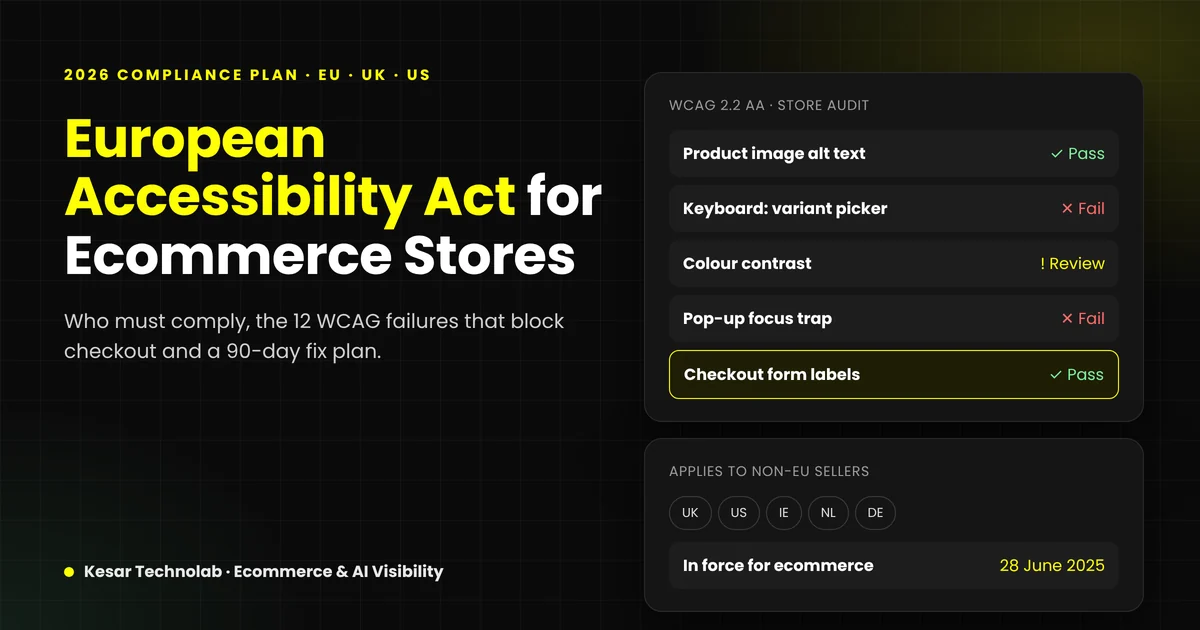
The 12 Most Common Accessibility Failures in Shopify and WooCommerce Stores
These barriers are frequent in ecommerce because they come from themes, apps and checkout patterns. Each one maps to a WCAG success criterion.
| # | Barrier | WCAG criterion | Where it appears |
|---|---|---|---|
| 1 | Product images without meaningful alt text | 1.1.1 Non-text Content | Product galleries, collection grids |
| 2 | Low-contrast text and buttons | 1.4.3 Contrast (Minimum) | Sale badges, light grey prices, ghost buttons |
| 3 | Menus and filters that need a mouse | 2.1.1 Keyboard | Mega menus, filter drawers |
| 4 | Invisible keyboard focus | 2.4.7 Focus Visible | Themes that remove focus outlines |
| 5 | Custom variant pickers that screen readers cannot read | 4.1.2 Name, Role, Value | Size and colour swatches |
| 6 | Form fields without labels | 3.3.2 Labels or Instructions | Newsletter, account, checkout fields |
| 7 | Error messages that are not announced or explained | 3.3.1 Error Identification | Checkout, discount codes, login |
| 8 | Auto-rotating carousels without pause | 2.2.2 Pause, Stop, Hide | Homepage hero sliders |
| 9 | Pop-ups and cookie banners that trap or lose focus | 2.4.3 Focus Order | Discount pop-ups, consent banners |
| 10 | Headings used for styling, not structure | 1.3.1 Info and Relationships | Product and content pages |
| 11 | Videos without captions | 1.2.2 Captions (Prerecorded) | Product videos, brand stories |
| 12 | Layouts that break when zoomed or on small screens | 1.4.10 Reflow | Tables, size guides, sticky bars |
Third-party apps cause many of these failures, especially reviews, live chat, pop-ups, loyalty widgets and size finders. An accessible theme can still fail an audit because of one inaccessible app.
Want to know where your store fails?
We review your key templates (home, collection, product, cart, checkout and account) against WCAG 2.2 AA and send a prioritised fix list.
Shopify vs WooCommerce: Platform-Specific Considerations
Shopify
- Shopify controls much of the checkout, which reduces your workload there but limits what you can change. Focus on your theme, apps and pre-checkout journey.
- Theme quality varies. Audit any third-party or heavily customised theme rather than assuming it is accessible.
- Review every app embed. Remove or replace apps that inject inaccessible widgets.
WooCommerce
- You own the full stack, including checkout, so you have full control and full responsibility.
- Page builders, sliders and form plugins are frequent sources of failures. Check the HTML they output, not just the visual result.
- Plugin updates can reintroduce barriers. Add accessibility checks to your update and release process.
Why Accessibility Overlays Will Not Make You Compliant
Overlay widgets promise one-line-of-code compliance. They do not fix the underlying HTML, keyboard behaviour or checkout flows that assistive technologies rely on, and many disabled users find them obstructive.
In April 2025 the US Federal Trade Commission approved a final order requiring accessiBe to pay $1 million. The FTC found it had falsely claimed its AI tool could make any website WCAG-compliant. If a vendor promises instant compliance, treat it as a warning sign.
Automated scanners are useful for catching issues at scale, but they detect only part of what WCAG covers. Real compliance needs manual testing with a keyboard and screen readers, followed by code-level fixes.
A 90-Day EAA Compliance Plan for Ecommerce Stores
| Phase | Days | Actions |
|---|---|---|
| 1. Audit | 1–20 | Audit templates, not every URL: home, collection, product, search, cart, checkout, account, contact and key content pages. Combine automated scans with manual keyboard and screen-reader testing. Score issues by severity and revenue impact. |
| 2. Fix critical journeys | 21–60 | Fix blockers in the purchase path first: navigation, product variants, cart, forms, checkout and pop-ups. Replace or reconfigure inaccessible apps. Fix theme-level issues once so they apply to every page. |
| 3. Content and governance | 61–90 | Alt text, headings, captions and link text across content. Publish an accessibility statement. Add accessibility checks to design, development and content workflows. Re-test. |
Expert insight: audit templates, not pages. A store with 5,000 products usually has fewer than 15 distinct templates. Fixing the product template fixes thousands of pages at once. This is why a template-based audit is faster and cheaper than a page-by-page review, and why most stores do not need a full rebuild to reach compliance.
What Drives the Cost of EAA Compliance?
Costs vary widely, so be cautious of fixed prices quoted before anyone has looked at your store. The main drivers are:
- Number of distinct templates and custom components
- Theme quality: a modern, well-coded theme needs far less work than a heavily customised older one
- Number of third-party apps or plugins in the shopping journey
- Platform: WooCommerce or custom checkouts need more work than Shopify’s managed checkout
- Content volume needing alt text, captions and heading fixes
- Whether you need ongoing monitoring after the initial fix
If an audit shows your theme is beyond repair and a rebuild makes more sense, use our guide on how to compare ecommerce build quotes on a 3-year cost basis.
Get a scoped estimate, not a guess
Share your store URL and platform. We will tell you how many templates and apps need work and what a realistic fix plan looks like.
The SEO and AI Search Bonus
Accessibility and search visibility share the same foundations: semantic HTML, meaningful headings, descriptive alt text, clear link text, captions and fast, stable layouts. Search engines and AI assistants such as ChatGPT, Gemini and Perplexity read the same structure that screen readers do. An accessible store is easier for both humans and machines to understand. Read more in our guide to making your website AI-readable.
Example scenario (illustrative, not a client case): A UK skincare brand on Shopify sells to customers in Ireland and the Netherlands and has 25 employees, so the microenterprise exemption does not apply. A template audit finds that its colour swatches cannot be operated by keyboard, its discount pop-up traps focus, and its reviews app outputs unlabelled star ratings. Fixing those three issues in the theme and app settings unblocks the purchase path on every product page, without rebuilding the store. Content fixes and an accessibility statement follow in phase three.
Key Takeaways
- European Accessibility Act ecommerce rules apply to UK, US and other non-EU stores that sell to EU consumers, unless an exemption applies.
- Requirements have applied to ecommerce services since 28 June 2025. Conformity is shown through EN 301 549 (WCAG 2.1 AA).
- Microenterprises (fewer than 10 staff and €2 million or less) are exempt for services, but not for products.
- Overlays do not create compliance. Fix the code, especially in the purchase journey.
- Audit templates, not pages. Most stores can reach compliance without a full rebuild.
- Targeting WCAG 2.2 AA covers the EU, UK and US with one plan and improves SEO and AI visibility too.
How Kesar Technolab Can Help
Kesar Technolab audits and fixes Shopify and WooCommerce stores so customers can browse and buy with any device or assistive technology. Our web development team fixes the theme, app and checkout issues at code level. Our e-commerce growth team makes sure the improvements support SEO, conversion rate and AI search visibility.
What an accessibility review includes:
- Template-based review of your key journeys against WCAG 2.2 AA
- Manual keyboard and screen-reader testing, not just automated scans
- A fix list prioritised by legal risk and revenue impact
- An estimate to fix, with no full rebuild unless it is truly needed
This article is general information, not legal advice. Confirm your obligations with a qualified adviser in the markets where you sell.
Ready to Discuss Your Project?
If you sell into the EU and are not sure where your store stands, start with your purchase journey. We will review your key templates and tell you what to fix first, what it is likely to involve and what can wait.
Get your store's EAA accessibility review
Prioritised WCAG 2.2 AA fix list for your Shopify or WooCommerce store. No overlays, no scare tactics.
Frequently Asked Questions
Does the European Accessibility Act apply to UK companies?
Yes, if a UK company sells covered services, such as ecommerce, to consumers in the EU. The EAA applies based on where your customers are, not where your company is registered, unless an exemption such as the microenterprise exemption applies.
When did the European Accessibility Act come into force for ecommerce?
The accessibility requirements have applied to covered services, including ecommerce, since 28 June 2025. Limited transition arrangements run until 28 June 2030 for certain existing contracts and products.
Which WCAG level does the EAA require?
The EAA uses the harmonised standard EN 301 549, which incorporates WCAG 2.1 Level AA for web content. Many businesses target WCAG 2.2 AA to future-proof their work.
Are small businesses exempt from the EAA?
Microenterprises providing services are exempt. That means fewer than 10 employees and annual turnover or balance sheet total of €2 million or less. Both conditions must be met, and the exemption does not cover products.
What are the penalties for non-compliance with the EAA?
Penalties are set by each member state and vary. Germany’s implementing law, for example, allows fines of up to €100,000. Enforcement is handled by national market surveillance authorities.
Will an accessibility overlay make my store EAA compliant?
No. Overlays do not fix the underlying code or user journeys. In 2025 the US FTC ordered overlay provider accessiBe to pay $1 million over claims that its tool could make any website WCAG-compliant.
Is Shopify EAA compliant by default?
No platform makes a store compliant on its own. Shopify manages much of the checkout, but your theme, customisations, apps and content still need to meet the requirements.
How long does it take to make an ecommerce store accessible?
Many stores can fix critical purchase-journey barriers within 60 to 90 days using a template-based approach. Timelines depend on the theme, apps, platform and amount of content.
Do I need an accessibility statement?
Service providers under the EAA must provide information about how their service meets accessibility requirements. An accessibility statement on your website is the usual way to do this.
Does accessibility help SEO?
Yes, indirectly. Semantic HTML, clear headings, descriptive alt text and accessible links help search engines and AI assistants understand your pages, as well as people using assistive technology.